
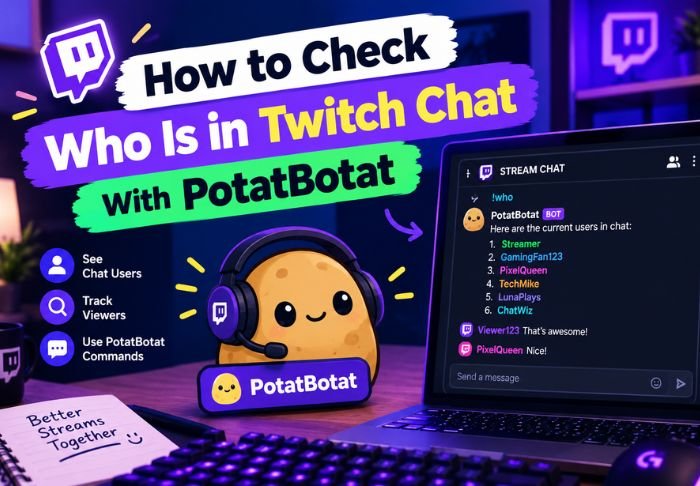
Figuring out how to check who is in Twitch chat with PotatBotat has become a common workaround since Twitch removed its native chatter list for larger channels. PotatBotat fills that gap by generating a usable list of active chat participants.
- Twitch hides full chatter lists once channels pass a certain size
- PotatBotat is a third-party bot to restore chat visibility.
- It takes a few minutes to set it up through the bot’s dashboard.
Once connected, it becomes easy to check who’s active in chat. For more useful how-tos like this, TwitchTV has a variety of interesting topics covered beyond the Twitch.
Why Can’t You See Who’s in Twitch Chat by Default?
Twitch removed full chatter lists for larger channels a while back mainly for performance reasons and this is exactly why many streamers and mods needed to figure out how to check who is in Twitch chat with PotatBotat.
A few performance reasons this change happened:
- Large chatter lists slow down browser performance on big channels
- Twitch prioritizes speed of chat over listing every viewer
- Although native tools don’t list participants, they still show chat messages.
Because of this, PotatBotat and other similar bots have become practical solutions for many to get an actual participant list.
What is PotatBotat?
PotatBotat is a third-party Twitch bot that adds various utility and moderation features and includes restoring chat participant visibility as one of those features. There are similar bots that also add the same features to solve the same limitation Twitch has.
Key features related to chat visibility are:
- Ability to generate list of recent or active chatters
- Tracking chat activity during a stream session
- Ability to provide moderation tools along with chatter list feature
Learning how to see who is in Twitch chat with PotatBotat is just one feature of a larger channel management toolset.
How Do You Set Up PotatBotat on Your Channel?
Prior to using any feature, PotatBotat has to be added to your channel first. This is a one-time setup to enable PotatBotat to interact with your chat.
The setup process generally involves:
- Going to PotatBotat’s website and signing in to Twitch
- Authorizing the bot to join and control your channel
- Giving moderator controls
The bot typically gets added to your chat and you can use its features including chatter list, immediately after authorization.
How to Check Who is in Twitch Chat with PotatBotat?
Once set up, seeing who is in Twitch chat with PotatBotat involves either using a chat command or looking at a dashboard view, depending on what the bot’s interface is at the time.
In general, the steps include:
- Type the chat command to generate a list of active chatters
- PotatBotat replies with a list of recently active chatters
- Looking at the bot’s web dashboard provides an even more detailed view of recent chat activity
This method of how to check who is in Twitch chat with PotatBotat is good for moderators who wish to keep an eye on chat for prohibited or rude behavior.
Uses for Chatter List
Aside from satisfying curiosity, knowing how to check who’s in Twitch chat with PotatBotat can be useful in moderation and for other activities such as engagement. This can be very helpful for streamers in recognizing their regular viewers by name.
Examples of uses include:
- Ability for mods to quickly identify and deal with trouble users
- Help for streamers understand who’s engaged and who’s just lurking
- Identifying users for giveaways
For larger channels, being able to quickly and easily identify who is in chat can be very beneficial to engagement. In fact, it can be one of the most useful tools at your disposal to fill the gaps of other tools Twitch provides for moderate to larger channels.
Why isn’t PotatBotat Showing Correct Results?
Sometimes the chatter list can be behind what is being shown in Twitch chat. This typically happens in fast paced streams with a lot of message activity. This is usually more of a syncing issue rather than a setup issue.
Some things you can do:
- Make sure PotatBotat is still given moderator status
- Run the command again to refresh the list
If these issues persist, trying contacting PotatBotat’s support directly since a lot of issues and problems that occur can vary.
Conclusion: Twitch Chat With PotatBotat
Learning how to check who’s in Twitch chat with PotatBotat fills a big void left by Twitch’s native tools for large to moderate sized channels. Once it is set up, it is a quick and reliable way to identify who is actively in your chat.
FAQs: Twitch Chat With PotatBotat
Q: Is PotatBotat free to use on Twitch?
Generally yes. Most bots have a free basic version, and some premium features may be sold separately.
Q: Is PotatBotat mobile Twitch chat compatible?
Yes, commands work on mobile or desktop Twitch, so PotatBotat is compatible with both.
Q: Are Twitch chat list commands viewable to all?
They may be, but more often than not they are restricted to broadcasters or mods.
Q: Are there comparable bots for Twitch chat list commands?
Yes, there are other bots with similar features.
Q: Will PotatBotat slow down my Twitch chat?
No, not as long as it is a well built chat bot. PotatBotat and similar bots are built to run smoothly and not affect the performance of Twitch chat.
Also Read: Linking Your EA Account to Twitch





Leave a Reply