
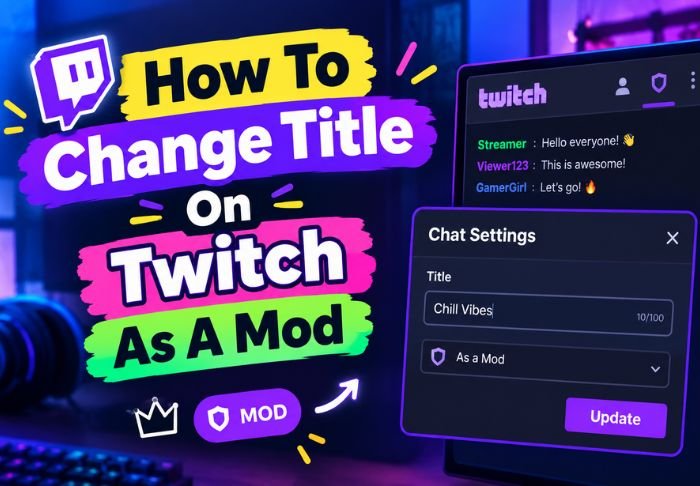
Knowing how to change title on Twitch as a mod is very helpful when a streamer is busy mid-broadcast. With the right permissions, mods are able to update titles quickly by just a few clicks.
- Edit Permissions for Channel Must be Granted Specifically
- Title changes can be made via chat commands or the dashboard.
- Not all mods have this permission by default.
With the right permissions, updating a title takes just a few clicks. TwitchTV covers practical how-to’s like this and other helpful articles that go beyond the Twitch Puzzle.
Do Mods Automatically Have Permission to Change Title?
No, knowing how to change title on Twitch as a mod doesn’t do any good if the streamer didn’t grant that permission. Being a mod doesn’t automatically give you access to manage a stream.
A few things to know about mod permissions:
- chat moderation and channel editing are separate permissions
- streamers have to enable editor-level access for title changes
- with this access, mods can manage chat and stream settings
If the access is not granted, mods can’t edit stream settings. This is usually the first thing to look into if a mod tries to change a title and is not allowed.
How Does a Streamer Give This Permission to a Mod?
A mod can use one of the methods for how to change title on Twitch as a mod only if the broadcaster adds them as a channel editor, not just a chat moderator. This is done via the Twitch dashboard.
To do this, the streamer will do the following:
- Go to Creator Dashboard > Settings > Roles
- Editors (list is different from Moderators list)
- Add desired usernames as Channel Editors
Being added as a Channel Editor enables a mod to change the stream title, and other stream information, directly.
How to Change Title on Twitch as a Mod Using the Dashboard
If a mod is given access as a Channel Editor, one of the easiest methods for how to change title on Twitch as a mod is to use the stream manager (or dashboard) just like how the streamer would do it.
To do this, a mod should:
- Log in to their Twitch account
- Go to Creator Dashboard for the channel they moderate
- Go to Stream Manager
- Click on the title field, and edit as needed.
This is ideal when a mod wants to directly manage a stream using their dashboard.
How to Change Title on Twitch as a Mod Using Chat Commands
One of the easiest methods for how to change title on Twitch as a mod during an ongoing stream is to use chat commands. This method requires the least interaction with the dashboard and other systems, and can be done all in the chat window.
To use this method:
- Type /settitle followed by the new title directly in chat
- Press enter to apply the change
- Once the change has been made, check the channel to confirm
This is especially helpful for mods during a fast paced stream, like a Subathon. The mod can’t constantly switch between dashboard panels to update the title.
What Should You Do If the Title Won’t Change?
If a mod tries every method for how to change title on Twitch as a mod, and nothing works, the issue is usually with permissions rather than a bug. Double checking editor permissions solves most cases.
Common troubleshooting steps:
- Check if the mod is only set as a Channel Moderator rather than a Channel Editor
- Check if the command is typed correctly
- Refresh the page or dashboard and log in and out
- Ask the Broadcaster to check if they removed the mod from the Roles section
Usually, learning how to change title on Twitch as a mod is usually a case of setting permissions correctly, and after that, it is reliable and smooth.
Conclusion: Change Title On Twitch
As mentioned, learning how to change title on Twitch as a mod is actually much easier than people think and takes little to no effort, provided it has been set up correctly.
FAQs: Change Title On Twitch
Q: Can a mod remove their own editor access accidentally?
Mods can’t change their own access level. Only a broadcaster can add/remove editor permissions.
Q: Will changing the title change the category of the stream?
No, the title and category settings are separate.
Q: Can multiple mods be given permission to change the title?
Yes, multiple mods can have permission to change the title. A broadcaster can add multiple mods as Channel Editors.
Q: Will viewers be notified of a title change?
No, Twitch does not send notifications of title changes.
Q: Does the command /settitle work on Twitch mobile?
Yes, the command works the same way on Twitch mobile as it does on a desktop.
Also Read: How to Stream on Twitch Using PS4 and Mac






Leave a Reply