
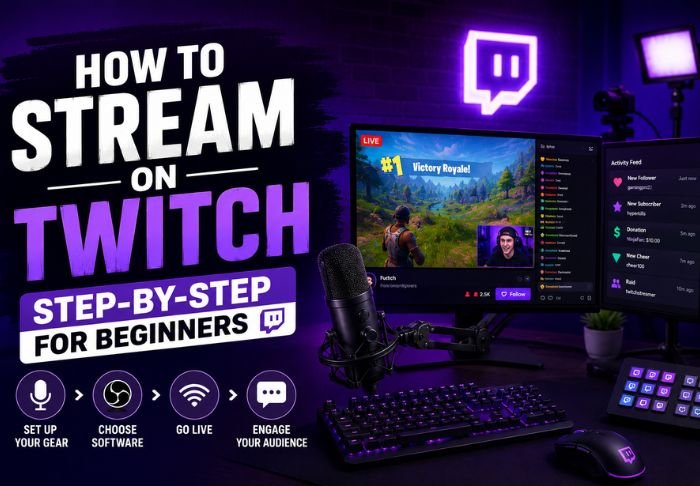
Understanding how to stream on Twitch can seem a little overwhelming, but the majority of the process is a one-time setup and after that going live is pretty straight forward. There are just a few things you will need to get started.
- A Twitch account and basic broadcasting software
- A stable and strong internet connection
- A microphone and camera
You will only have to set this up once, and after that going live will just take a couple of clicks. Check out Twitchtv for more step-by-step guides.
What Do You Need Before You Start Stream on Twitch?
There are just a few basics you will have to set up before going live, and the majority of streamers start with the bare essentials and upgrade later on if they become more consistent.
- A Twitch account
- A computer that can support streaming software without lagging
- A webcam and microphone
- Stable internet, preferable with an upload speed of 3-5 Mbps
Your upload speed should be 3-5 Mbps or greater to support a smooth stream. Even if you have the best camera, it won’t matter if you don’t have good upload speed.
How Do You Set Up Your Twitch Account for Streaming?
You can create your Twitch account for free and it will only take a couple of minutes to set up. There are just a couple of settings you will want to adjust in your settings before going live for the first time. Go to Twitch’s Creator Dashboard to do the majority of your stream setup.
What you’ll want to configure first: Stream on Twitch
- Stream title and category to provide viewers a stream summary
- Channel description and profile image
- Stream key to connect your broadcasting software to your Twitch channel
- Stream key is very important as it connects your broadcasting software to your channel, and therefore, should never be disclosed to the public.
What software do you need to Stream on Twitch?
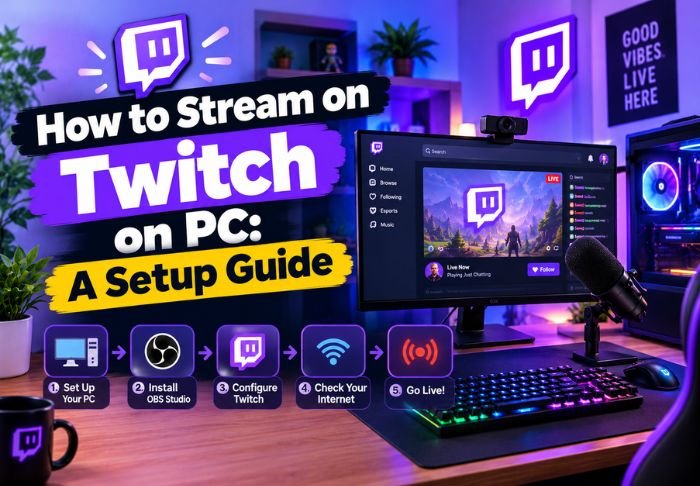
Since Twitch is a streaming platform and not a video capturing software, you will need a broadcasting software to send your video to Twitch. OBS studio is the most used option since it is free, and has a good level of customization.
Other software options include:
- Streamlabs (based off of OBS with a simpler user interface)
- XSplit (Paid Software, with more features)
What software you use is really up to you and your preference; however, OBS studio and Streamlabs are really the most used and have large communities for help and support if you are having issues.
How do you Stream on Twitch?
After your software is connected and configured with your stream key, going live is as easy as clicking “start streaming”. Twitch detects the feed and goes live on your channel.
Checklist before starting your Stream on Twitch:
- Check your audio and video to make sure everything is working
- Set your stream title and category to make it easier for viewers to find you
- Make sure chat is enabled to engage viewers
Streams are still a work in progress and having a few hiccups is ok. Most streamers had rough first broadcasts.
How do you build an audience as a new streamer?
Growing a following takes time, and most new streamers see small, slow growth rather than overnight success. Consistency tends to matter more than production quality in the early stages.
A few things that genuinely help:
- Streaming on a regular schedule so viewers know when to show up
- Engaging actively with chat instead of ignoring it
- Promoting streams on social media before and during broadcasts
- Networking with other small streamers in similar categories
Viewer counts usually grow gradually, so it’s worth focusing on building a loyal core audience rather than chasing big numbers immediately.
Conclusion: Stream on Twitch
The hardest part of starting to stream is the initial set up and most of the hard part is figuring out the audience building. The technical aspect gets easier fast. For more tips be sure to check out Twitchtv.
FAQs: Stream on Twitch
Q: Is an expensive PC required for stream on Twitch?
Not necessarily, but it helps to have a mid range or higher graphics card and central processing unit to help with stream lag.
Q: Is OBS Studio really free to use?
Yes, OBS is completely free, with no premium tiers, subscription or hidden costs for full use of the software.
Q: Can you stream from a phone instead of a computer?
Yes, you can stream from a phone via Twitch’s app. However, there are a lot less features than PC streaming.
Q: How long should a first Twitch stream be?
Not really sure, but most new streamers try to stream for at least an hour to start and see how consistent they can be.
Q: Do you need followers before you’re allowed to go live?
Definitely not. Anyone with a Twitch account is allowed to stream immediately with no followers.
Also Read: What Is Twitch and How Does It Work?

Leave a Reply